
7 AI Tools for Creators Worth Trying in 2027
AI tools for creators are becoming increasingly useful for turning ideas into finished content without requiring a large production team.
Whether you’re writing a blog, building a YouTube channel, creating social media videos, improving your photography, or simply looking for smarter ways to work, there’s probably an AI tool designed for the job.
But with hundreds of new AI products appearing every month, the challenge isn’t finding tools.
It’s finding AI tools for creators that actually solve a problem and are worth adding to your workflow.
Here are seven interesting options to explore.
1. SwipeStory: Build Faceless Videos Faster
Creating video content consistently can be difficult, especially if you don’t want to appear on camera for every video.
SwipeStory is designed for creators who want to produce faceless video content. You can select a niche and use the platform to develop scripts, voiceovers, captions, visuals and finished vertical videos.
One of its more interesting concepts is the ability to create an ongoing content series rather than producing completely unrelated videos.
That can make it easier to establish a recognizable format for a YouTube Shorts, TikTok or Instagram Reels strategy.
The platform also offers publishing capabilities, making it more than simply a video-generation tool.
When you’re searching for AI tools for creators, this is one of the more interesting options if your goal is to produce short-form content at scale.
Best for: YouTubers, social-media creators and entrepreneurs experimenting with faceless content.
2. PhotoMentor: Understand Why a Photo Works
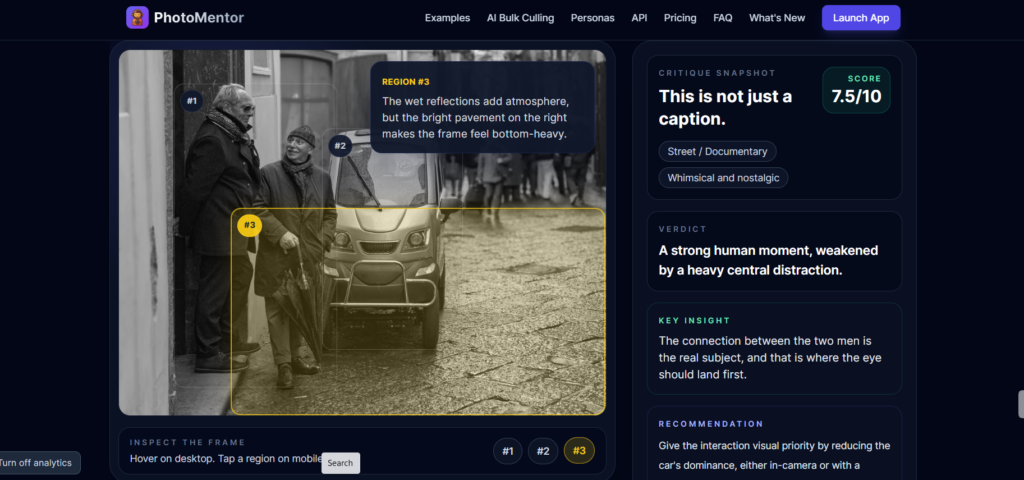
Image Source: Photomentor
Most photo apps focus on editing. PhotoMentor takes a different approach: it tries to explain why a photograph works—or doesn’t.
The AI can evaluate elements such as composition, framing, lighting, distractions and where the viewer’s attention is likely to go. Instead of simply giving you a score, it provides feedback about potential weaknesses in the image.
The platform also offers a Chrome extension that can work with photographs inside Google Photos.
That could be particularly useful for creators who regularly need to choose profile pictures, thumbnails, website photographs or social-media images.
Among AI tools for creators, PhotoMentor occupies an interesting niche because it focuses on improving your visual judgment rather than simply generating another image.
Best for: photographers, influencers, personal-brand builders and social-media creators.
3. Monkey AI: A Multi-Purpose AI Workspace
What if you don’t want a separate AI subscription for every little task?
Monkey AI takes an all-in-one approach, combining several AI capabilities within a single platform. Depending on the plan and current features, users can access tools for chat, image generation, voice, speech-to-text and coding.
The attraction isn’t necessarily that it will outperform every specialist AI product.
Instead, it’s the convenience of having several capabilities available in one place.
For someone experimenting with AI tools for creators, an all-purpose platform can be useful during the early stages of developing a content workflow.
Pricing is based around usage and credits, so it’s worth checking the current plans before subscribing.
Best for: creators who want to experiment with multiple AI capabilities without maintaining numerous specialized subscriptions.
4. AI Price Search: Find Better Deals
Not every useful AI tool has to be related to content creation.
AI Price Search focuses on online shopping.
Rather than simply comparing major retailers, it attempts to find alternatives from factory-direct sellers and other sources.
The platform can also use images to search for products, which could be useful when you see something you like but don’t know its exact name.
Another feature is its attempt to identify listings that appear to resemble dropshipping arrangements, potentially helping shoppers understand whether a product is being heavily marked up.
For AI tools for creators, this isn’t an essential content-production application. But entrepreneurs, freelancers and creators who purchase equipment, electronics or other supplies online may find it useful.
Best for: online shoppers, entrepreneurs and deal hunters.
5. Wispr Flow: Turn Your Voice Into Polished Writing
Image: BlinkAI
Many people can explain an idea much faster than they can type it.
Wispr Flow is designed around that simple observation.
You speak naturally, and the application converts your speech into polished text that can be used across different applications.
Rather than functioning like basic dictation, it attempts to clean up the language and remove some of the awkwardness associated with raw speech-to-text transcription.
Wispr Flow actually simplifies daily writing
It can also learn names, terminology and frequently used expressions and allows users to create shortcuts for phrases they repeatedly use.
For bloggers, writers, consultants, coaches and entrepreneurs, this could be one of the most practical AI tools for creators because it attacks a very common bottleneck: getting ideas out of your head and onto the screen.
Best for: writers, bloggers, coaches, consultants and anyone who prefers talking to typing.
6. LazyKiwi: An AI Creative Playground
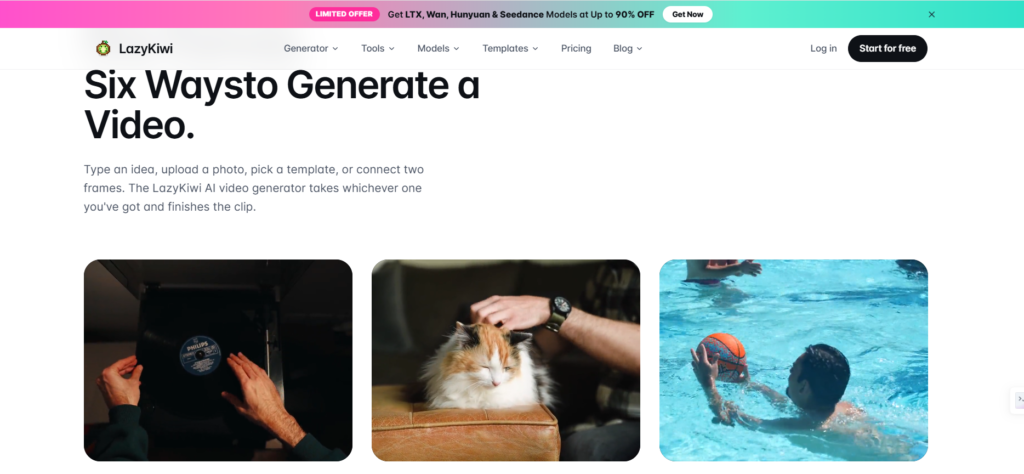
Image Source: Lazy Kiwi
LazyKiwi is aimed at people who want access to multiple AI-powered image and video capabilities from one platform.
Depending on the current selection of models and features, users can experiment with image generation, image editing, image-to-video creation, thumbnails and other visual workflows.
That makes it appealing to creators who don’t want to constantly jump between different AI websites to find the right model for a particular project.
Some features can be tried without paying, while more advanced usage depends on the platform’s current plans and credit system.
As an AI tool for creators, LazyKiwi is particularly interesting as an experimentation platform where you can test different approaches to AI-generated visuals.
Best for: YouTubers, designers, marketers and AI enthusiasts.
7. SciDraw: Create Scientific Illustrations
SciDraw is the specialist of the group.
Rather than focusing on social media or general-purpose content, it is designed to create scientific illustrations and diagrams for papers, presentations, lectures and educational material.
The platform is aimed at researchers, students, academics and educators who need professional-looking visual explanations of scientific concepts.
Features include high-resolution output and editable formats such as SVG, which can be valuable when illustrations need to be incorporated into professional documents.
It probably won’t belong in every creator’s toolbox, but for the right user it could save considerable time.
Best for: researchers, students, academics, science educators and technical writers.
The 7 Tools at a Glance
| Tool | Primary Purpose | Notable Features | Pricing* |
|---|---|---|---|
| SwipeStory | Faceless video creation | Scripts, voiceovers, captions, visuals, series and publishing | From about $16/month on listed annual plans |
| PhotoMentor | Photo analysis | AI scoring, composition analysis, attention analysis, Google Photos extension | From about $5/month |
| Monkey AI | Multi-purpose AI | Chat, images, voice, speech-to-text and coding | Plans vary |
| AI Price Search | Shopping research | Price comparison, image search, factory-direct alternatives | Public pricing unclear |
| Wispr Flow | Voice-to-text writing | Dictation, AI polishing, vocabulary learning and shortcuts | Plans vary by market |
| LazyKiwi | AI creative production | Image/video generation, editing, image-to-video and thumbnails | Free options; paid plans vary |
| SciDraw | Scientific graphics | Diagrams, high-resolution output, SVG and academic illustrations | From about $19/month |
*Pricing and features can change, so check each platform’s current pricing page before subscribing.
Which Tools Are Actually Worth Trying?
The best AI tools for creators aren’t necessarily the ones with the longest feature lists. They’re the ones that eliminate a frustrating part of your workflow.
If you’re building a faceless YouTube channel, SwipeStory could be worth exploring.
If writing is your bottleneck, Wispr Flow may have more practical value. If you’re producing visual content, LazyKiwi and PhotoMentor offer different approaches to the creative process.
Monkey AI makes sense for people who prefer an all-in-one platform, while SciDraw is much more specialized. AI Price Search is useful for a completely different problem: finding better deals.
The important thing is not to subscribe to everything.
Start with one problem.
Find one tool that solves it.
Build it into your workflow.
Then measure whether it actually saves you time or improves your output.
FAQs
1. What are the best AI tools for creators?
The best AI tools for creators depend on your needs. SwipeStory is useful for faceless videos, Wispr Flow for writing, LazyKiwi for visuals, and PhotoMentor for improving photographs.
2. Which AI tool is best for creating faceless videos?
SwipeStory is designed specifically for faceless video creation. It can help with scripts, voiceovers, captions, visuals, video production and publishing.
3. Which AI tool can turn speech into written content?
Wispr Flow converts natural speech into polished written text. It can be particularly useful for bloggers, writers, coaches, consultants and content creators.
4. Are AI tools for creators worth paying for?
They can be, provided they solve a genuine problem in your workflow. Instead of subscribing to many tools, choose one that saves significant time or improves the quality of your content.
5. Which AI tool is best for creating images and videos?
LazyKiwi is a useful option for experimenting with AI-generated images and videos. It offers capabilities such as image generation, editing, image-to-video creation and thumbnails.
6. Can AI tools help improve social media content?
Yes. AI tools can assist with scripts, visuals, photographs, captions, voiceovers and videos, allowing creators to produce and test content more efficiently.
7. Should creators use several AI tools or just one?
Start with one tool that solves your biggest bottleneck. Once it becomes part of your workflow, you can gradually add other AI tools for creators where they provide a clear benefit.
Related Posts
AI Tools for Digital Marketing: 10X Growth or Extinction?
The Secret AI Tools for Educators No One Talks About
2026 AI Reset: Non-Techies Who Miss These Tools Will Fall Behind
22 Breakthrough AI HR Tools You’ll Regret Ignoring
Conclusion
AI tools for creators are most valuable when they become part of a repeatable system rather than another collection of apps you rarely open.
For example, you could dictate an idea with Wispr Flow, turn it into a script, create a short video with SwipeStory, and produce supporting visuals with LazyKiwi.
That’s the real opportunity with AI: not simply generating more content, but creating a faster, repeatable process for turning ideas into finished work.